
Drawing
Offset Path
The Offset Path tool creates a shape that passes along the original shape at the specified distance.
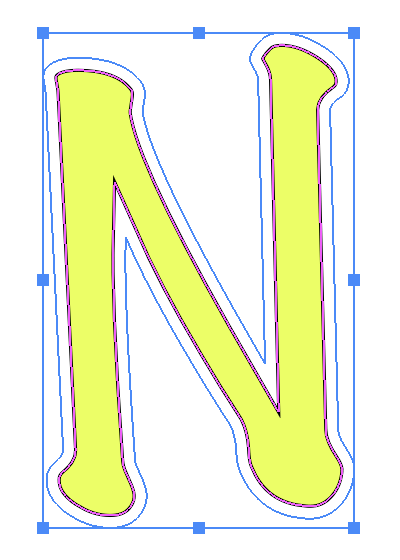
The Offset Path tool can be activated using the Offset button in the Path panel. The created path is a regular path which can be edited later using other tools.
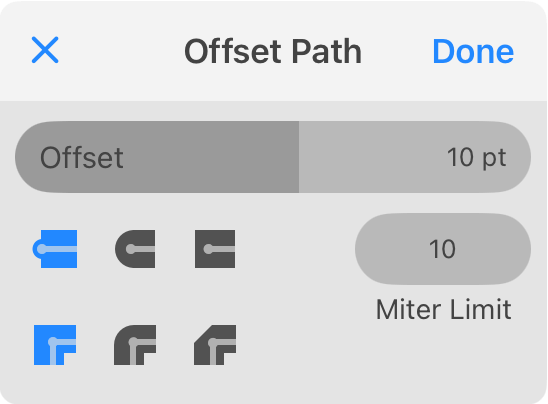
The Offset value defines the distance between the original shape and the offset path. With a positive value, the offset path will be outside the selected shape. A negative value makes the offset path appear inside the shape.
The Cap option defines how the offset path outlines the end points of the original path. This option takes effect only with open paths.
The Corner option lets you choose whether the offset path should replicate the shape of corners, make those rounded or beveled.
The Miter Limit defines how far sharp corners can stretch out. Once the limit is reached, a corner is replaced with a bevel. See Properties of a Stroke for details.
You can apply the Offset Path operation to multiple selected shapes at once as well as to a group.