
PDF vs SVG vs EPS: A Strategic Comparison Guide for Modern Designers
If you work with vector graphics, you inevitably encounter three dominant formats: PDF, SVG, and EPS. Each has shaped the evolution of digital and print design in different ways. Each remains relevant in 2026—but for very different reasons.
This guide does not replace deep technical breakdowns of individual formats. Instead, it helps you make informed, practical decisions when choosing between PDF vs SVG vs EPS for specific workflows. Whether you are preparing print-ready artwork, exporting scalable web graphics, or archiving brand assets, understanding how these formats differ will save time, prevent compatibility issues, and protect design integrity.
Let’s clarify what actually matters in modern production environments.
The Short Answer: They Serve Different Purposes
Before diving into technical details, here is the strategic overview:
- PDF is the universal distribution format for print and multi-page documents.
- SVG is the web-native vector format optimized for responsiveness and interaction.
- EPS is a legacy print-oriented vector container still present in archival and production workflows.
The mistake many designers make is assuming these formats are interchangeable. They are not. The right choice depends entirely on output context.
Understanding the Core Architecture
Although all three formats can store vector information, their foundations differ significantly.
PDF: The Universal Container
PDF (Portable Document Format) is built on PostScript foundations but evolved into a complex container capable of storing vector graphics, raster images, fonts, color profiles, hyperlinks, layers, and security controls. Since ISO standardization (ISO 32000), PDF has become the global default for document exchange.
Modern PDFs support CMYK workflows, spot colors, embedded fonts, transparency, and multi-page layouts. This makes them ideal for:
- Print production
- Publishing
- Packaging
- Digital brochure
- Contracts and portfolios
PDF is less about raw vector code and more about layout preservation and device consistency.
SVG: The Web’s Native Vector Language
SVG (Scalable Vector Graphics) is XML-based and designed specifically for web environments. Unlike PDF and EPS, SVG is human-readable code. It integrates seamlessly with HTML, CSS, and JavaScript.
SVG’s strength lies in:
- Infinite scalability
- Small file size (when optimized)
- Animations
- CSS styling
- Interactive elements
SVG is not intended for multi-page layouts or print production at scale. Its ecosystem belongs primarily to browsers and digital interfaces.
EPS: The Legacy Print Vector
EPS (Encapsulated PostScript) was developed in the late 1980s as a way to embed PostScript vector data into documents. For decades, it was the gold standard for logo delivery and high-resolution print workflows.
However, EPS has limitations in modern contexts:
- No native transparency support
- Security vulnerabilities due to embedded scripts
- Reduced macOS native support since macOS 14 (Sonoma)
- Limited web compatibility
EPS persists mainly because of legacy systems, printing house requirements, and long-standing brand archives.
PDF vs SVG vs EPS: Scalability and Quality
All three formats store vector paths mathematically. This means they are resolution-independent—they can scale infinitely without pixelation. However, practical scalability depends on context.
SVG performs best in browser-based scaling, adjusting fluidly across screen resolutions. It is optimized for responsive web design. PDF scales perfectly in print workflows and supports high-resolution output devices. It preserves layout precision across printers and operating systems. EPS scales well for print, but modern transparency workflows may require conversion to PDF.
In short: all are scalable, but SVG dominates the web, PDF dominates publishing, and EPS remains transitional.
Transparency and Modern Effects
This is one of the most important differentiators. SVG fully supports transparency and layering via CSS and native properties. PDF supports advanced transparency, blending modes, layers, and spot color management. This makes it suitable for complex print jobs. EPS does not support modern transparency in the way designers expect today. Designers often flatten transparency before exporting to EPS, which can limit flexibility.
If your project includes overlapping gradients, opacity effects, or layered compositions, EPS is rarely the ideal final format in 2026.
Print Workflow Compatibility
When working with printers, packaging vendors, or publishing houses, format expectations matter. PDF is the industry standard for print submission. It supports CMYK, spot colors (Pantone), embedded fonts, bleed settings, and output intents. EPS is sometimes requested for logos, especially in older print pipelines. However, most modern print providers now prefer high-quality PDFs. SVG is not commonly accepted in professional print workflows unless converted.
If you are preparing files for offset printing, packaging production, brochure publishing, billboard graphics, PDF is typically the safest and most versatile choice.
Web and Digital Performance
For web environments, SVG clearly outperforms PDF and EPS. SVG files can be embedded inline in HTML, styled dynamically, animated with CSS, and manipulated via JavaScript. This makes SVG ideal for:
- Logos on websites
- Icons
- UI elements
- Infographics
- Interactive diagrams
PDF files can be embedded in websites, but they are not responsive. They require downloads and do not adapt fluidly to mobile layouts. EPS files are not web-native and require conversion before use online. For digital-first projects, SVG is the optimal vector format.
File Size and Performance
File size matters in both web and document distribution. SVG files are often lightweight because they store minimal path data. However, poorly optimized SVGs can become large if they contain excessive anchor points or embedded raster images.
PDF files vary dramatically in size. A simple vector PDF may be small, but multi-page documents with embedded images can grow significantly. EPS files can become heavy due to embedded preview images and legacy structure. If performance and loading speed are priorities—especially for websites—SVG should be optimized carefully.
Editability and Workflow Flexibility
SVG files are easily editable in both code editors and vector design software. Designers and developers can tweak values directly in the markup. PDF files are editable in professional design applications, but editing depends on how the PDF was created. Flattened PDFs limit flexibility.
EPS files are more rigid. Editing is possible, but transparency and advanced effects may not survive round-tripping between applications. For collaborative workflows between designers and developers, SVG offers unmatched flexibility.
Security Considerations
Security is often overlooked when discussing file formats. PDF supports password protection, encryption, and digital signatures. This makes it suitable for contracts, portfolios, and confidential documents. SVG does not inherently support encryption in the same way but is safe when used properly in web contexts.
EPS can contain executable PostScript code, which historically introduced security concerns. This is one reason modern operating systems reduced native EPS support. If document protection is essential, PDF is the superior option.
Archiving and Long-Term Stability
For long-term brand asset storage, PDF/A (archival standard) is a reliable choice. It ensures future readability and embedded font consistency. SVG is stable as a web standard, but long-term archiving for print may require conversion.
EPS is no longer considered future-forward, though many archives still store logo assets in EPS due to legacy compatibility. If you are building a modern brand asset system in 2026, maintaining master files in a native vector format and exporting PDF and SVG derivatives is often the smartest strategy.
When to Use Each Format (Practical Decision Guide)
Use PDF when you need layout integrity, print precision, font embedding, or document security. It is the safest choice for final distribution.
Use SVG when designing for websites, responsive interfaces, app UI components, or animated graphics. It excels in digital ecosystems.
Use EPS primarily when dealing with legacy print systems or specific vendor requirements. Otherwise, consider PDF as a more modern replacement.
| SVG | EPS | |
|---|---|---|
| layout integrity | website design | legacy print systems |
| print precision | responsive interface | specific vendor requirements |
| document security | UI components |
Complementary Workflow Strategy
Instead of choosing one format exclusively, modern designers adopt a layered export strategy. Keep your master file in a native vector editing format. Export:
- SVG for web use
- PDF for print and document distribution
- EPS only when explicitly requested
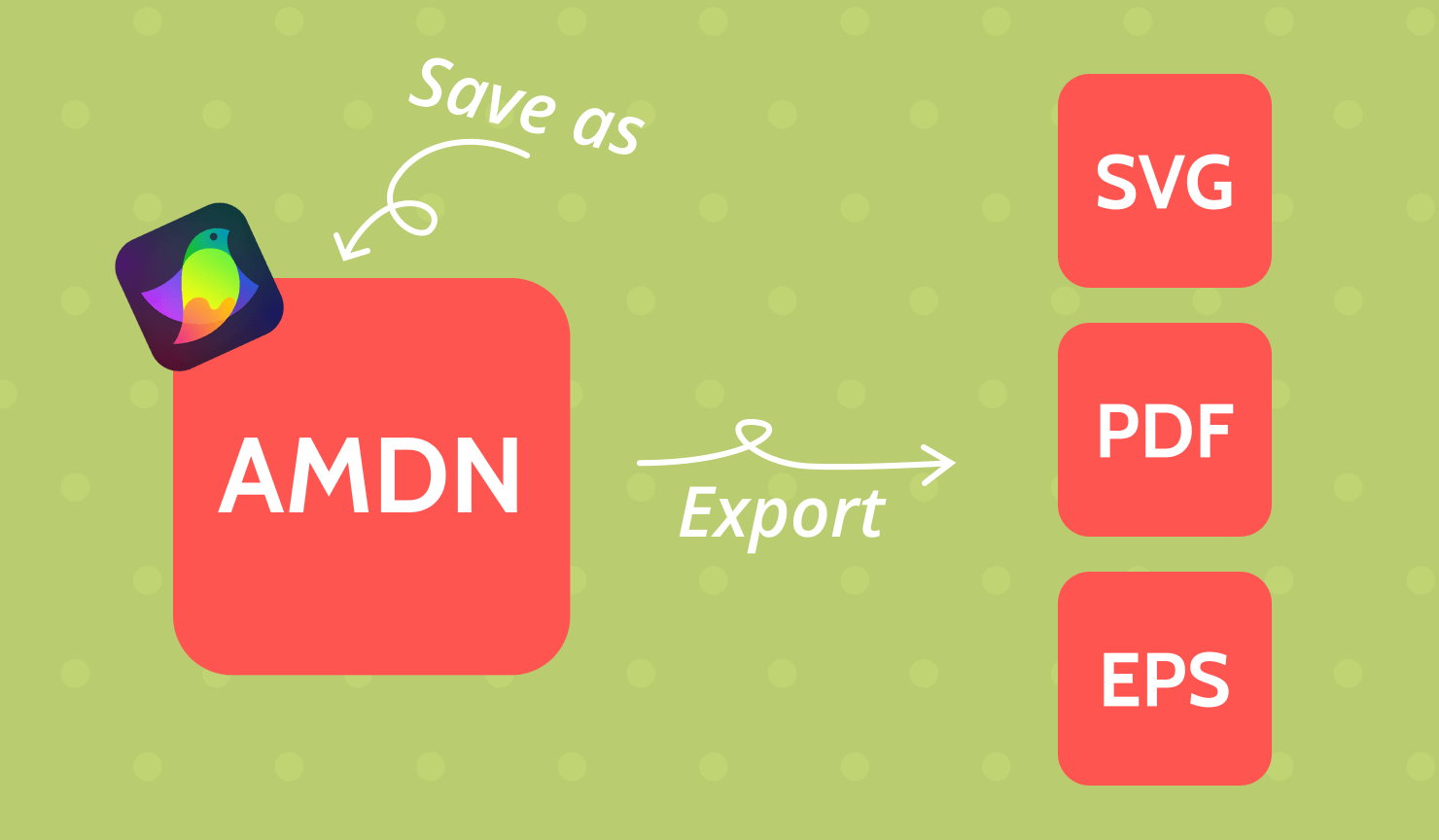
All of these workflows can be implemented in vector design apps, such as Amadine. You can save the file in .amdn format and then open and export it into the needed format for your precise task. This avoids conversion loss and ensures compatibility across platforms.
Final Thoughts: Choosing Intentionally
PDF vs SVG vs EPS is not a competition. It is a question of context. SVG defines the web. PDF defines professional publishing. EPS represents legacy compatibility.
Understanding their architectural differences allows you to avoid production errors, reduce revision cycles, and deliver assets that perform exactly as intended. In 2026, intelligent format selection is not optional. It is part of professional design literacy. Choosing correctly signals expertise.